

WordPress messaging
WaShroti WordPress Notifications
WhatsApp alerts for new users, comments and WooCommerce orders.
From ₹399 one-time
WHMCS messagingOn sale 1 Dec
WhatsApp messages from WHMCS for invoices, payments, tickets and verification.
Send automated WhatsApp notifications from WHMCS for invoices, payments, tickets, services, login alerts, OTP verification and bulk campaigns. Templates use WHMCS merge fields, invoices arrive as PDFs, and every message is queued and logged.
₹2,999/year
excl. service fee
Includes complimentary WhatsApp API
On sale 1 December 2026, 00:00 IST
One license per installation. Your key and downloads appear in the Shroti Host client area after payment.
Real screens from WhatsApp Manager, captured with demo data. Select one to enlarge it.
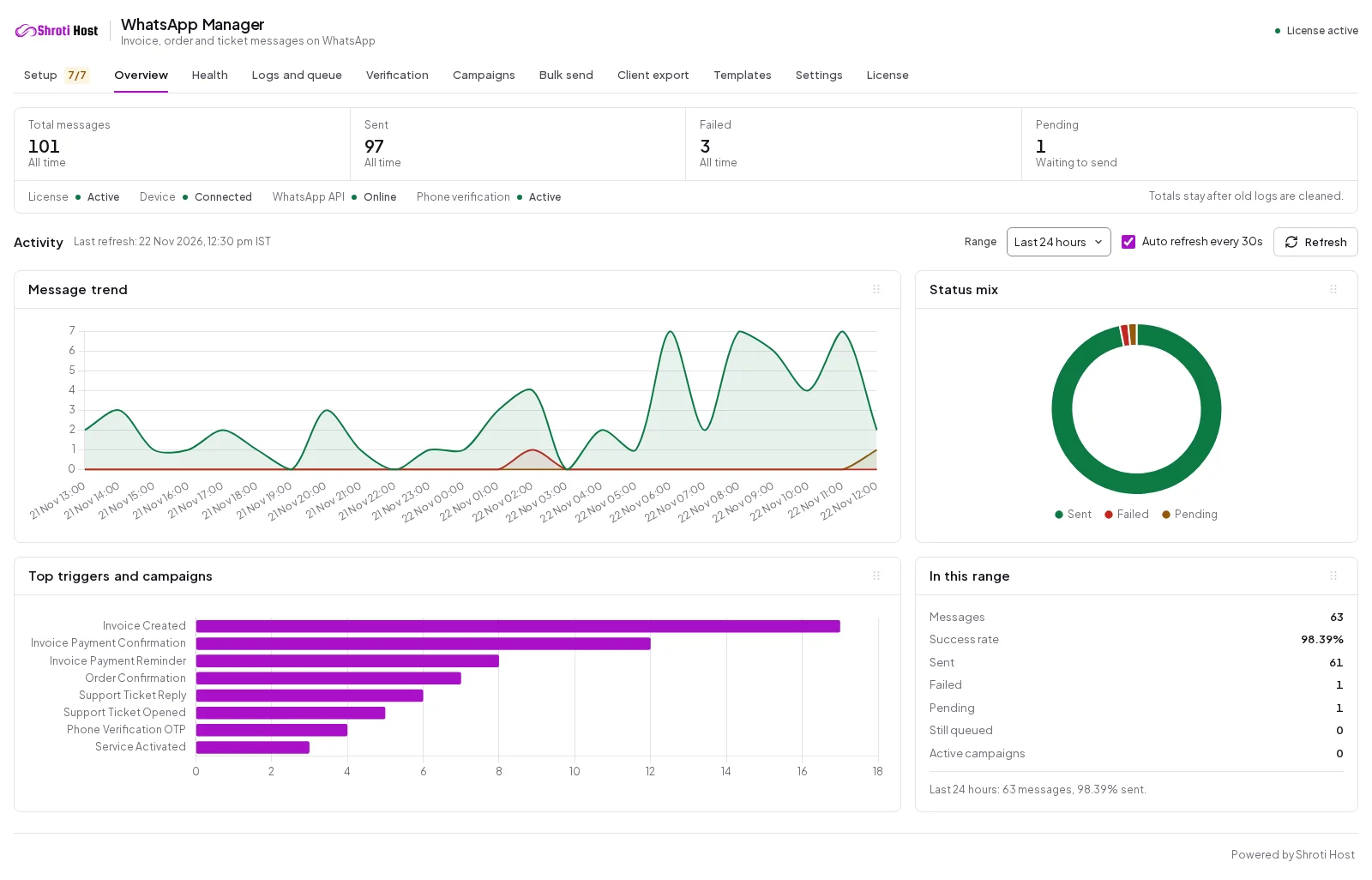 OverviewAdmin view (opens the full-size screenshot)
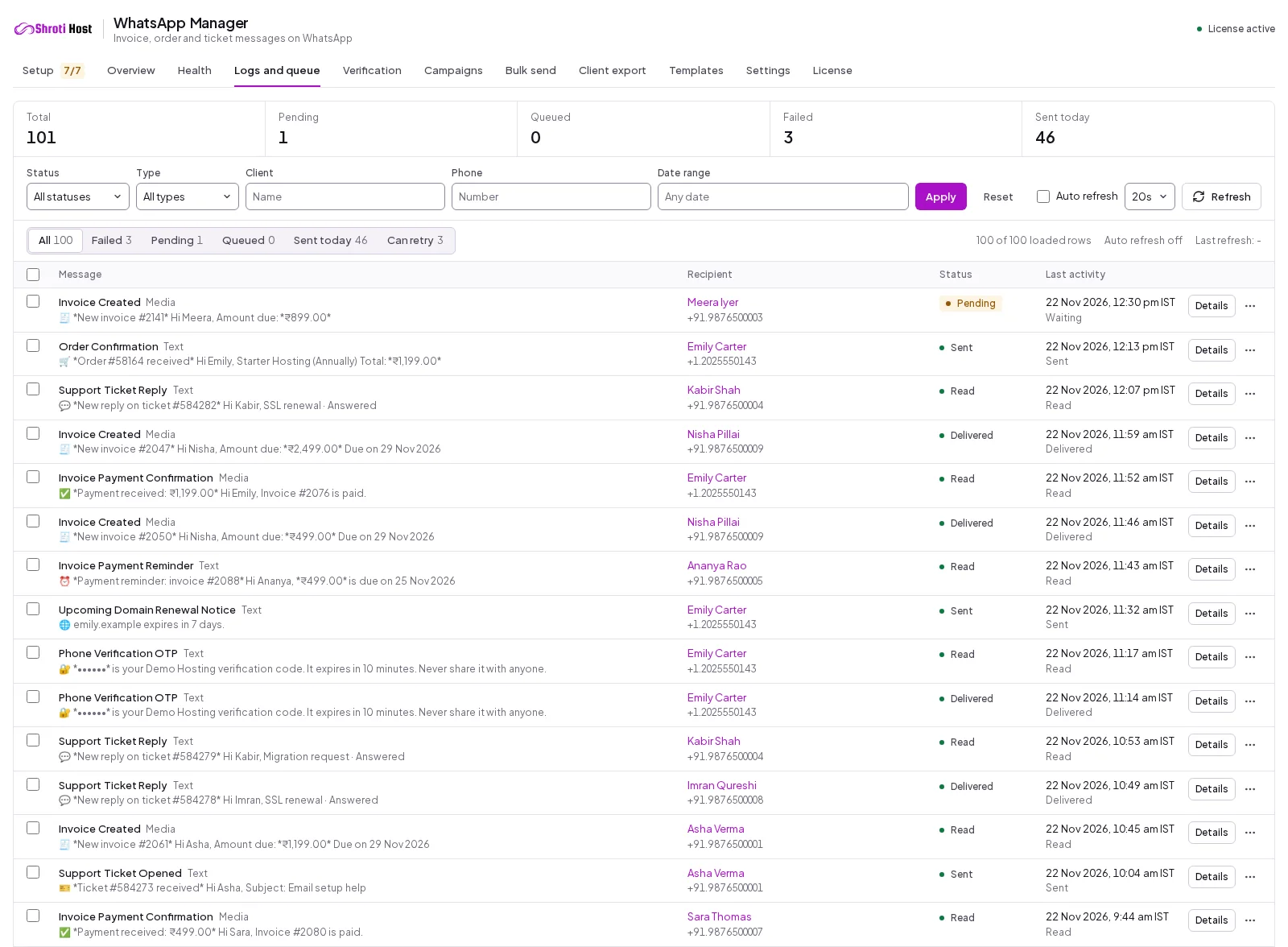 Logs and queueAdmin view (opens the full-size screenshot)
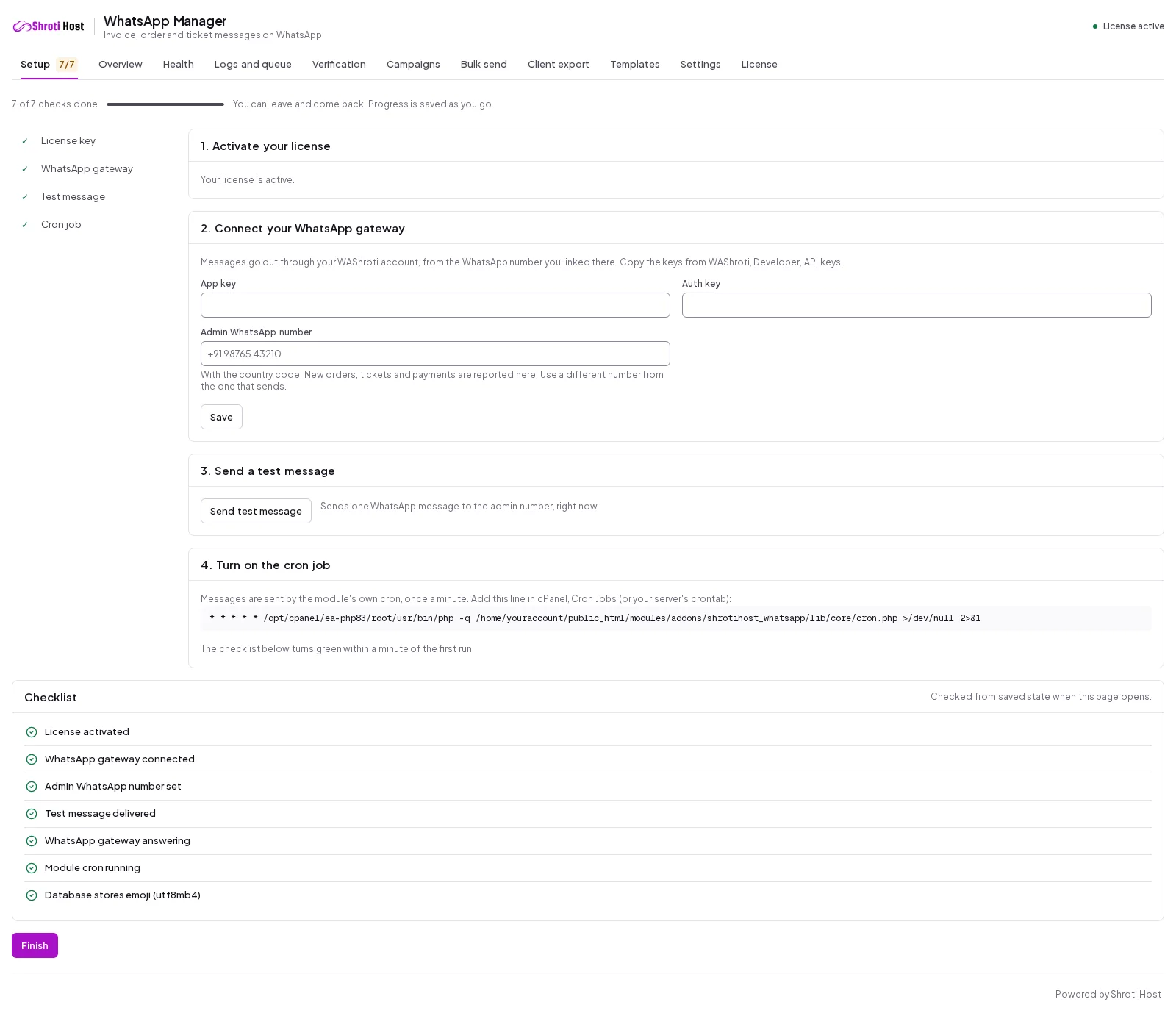 Setup wizardAdmin view (opens the full-size screenshot)
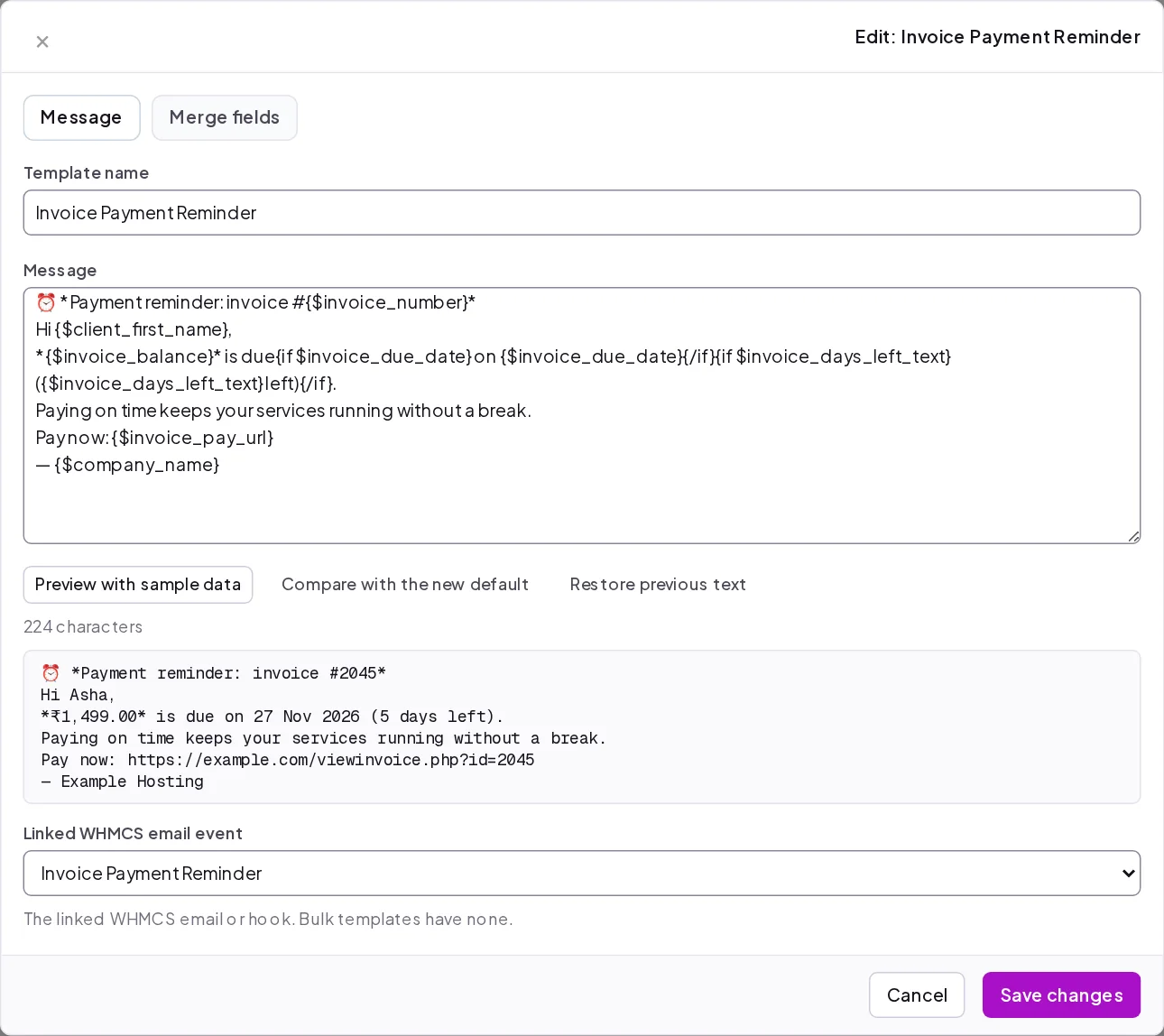 Template editorAdmin view (opens the full-size screenshot)
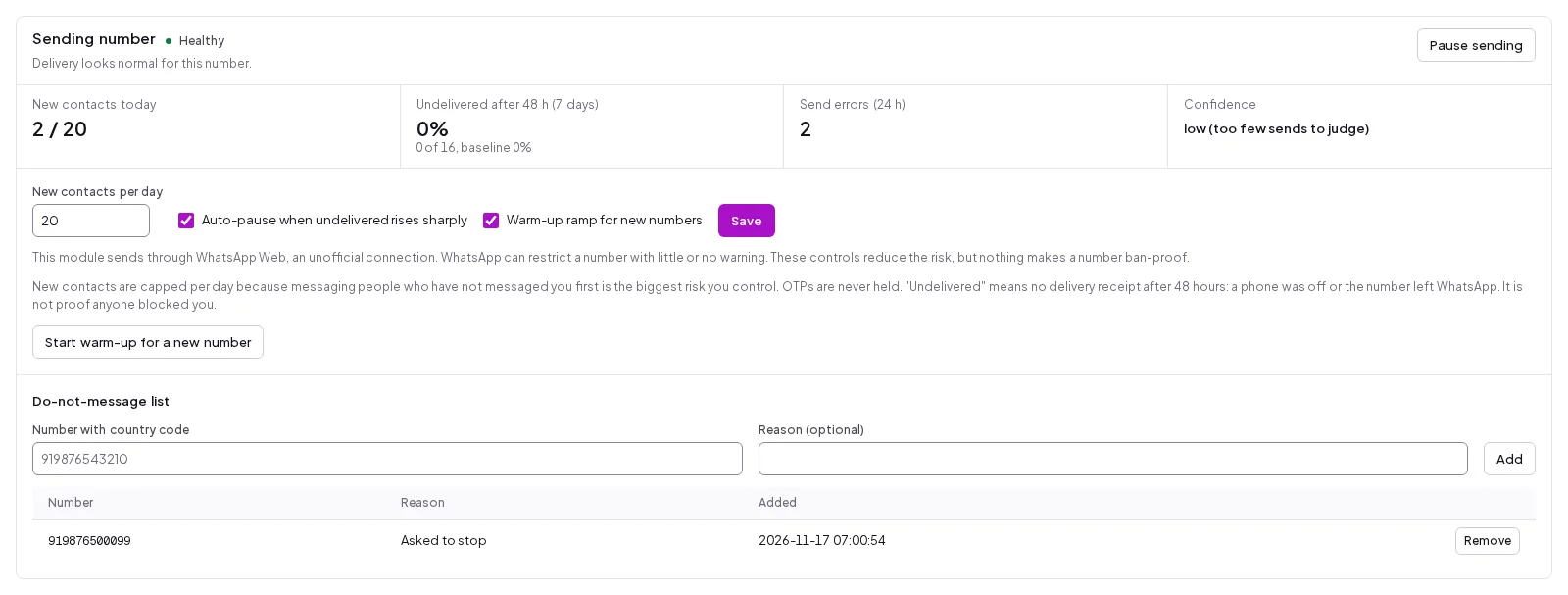 Number healthAdmin view (opens the full-size screenshot)
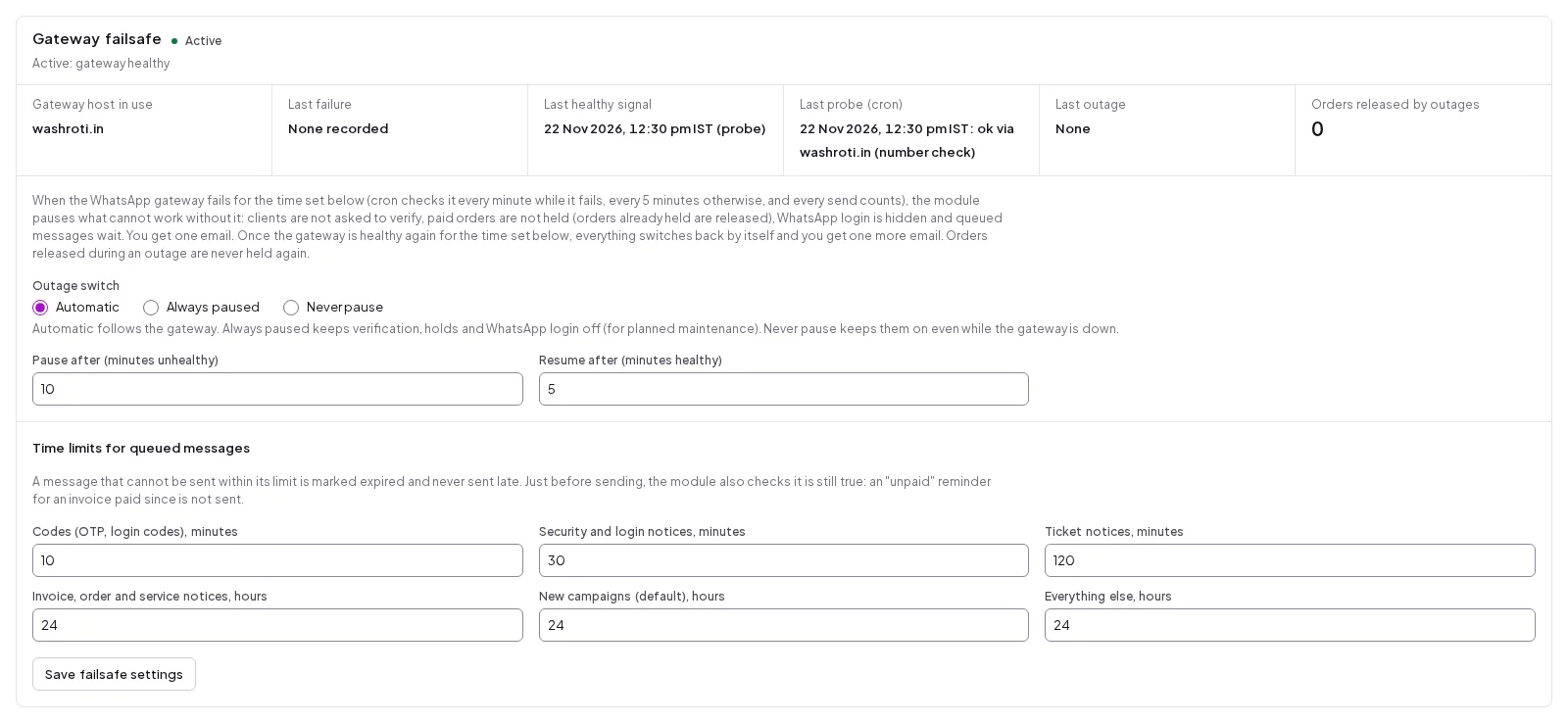 When the gateway is downAdmin view (opens the full-size screenshot)
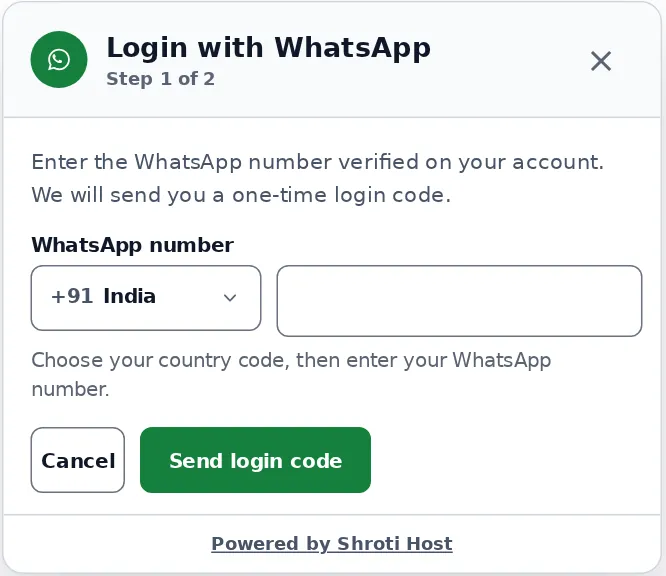 Login with WhatsAppCustomer view (opens the full-size screenshot)
Scan a QR code in WAShroti with the phone you send from, the way you link WhatsApp Web.
Ready-made messages for invoices, payments and tickets. Edit any of them or switch them off.
The next invoice, payment or ticket queues a WhatsApp message, logged with its status.
After payment, download the module from your Shroti Host client area and upload it to modules/addons in WHMCS. Activate it under Addon Modules and paste the license key. One key activates one WHMCS installation.
Messages go out through a WAShroti gateway account. You link the WhatsApp number you want to send from by scanning a QR code with that phone, the same way you link WhatsApp Web. Then copy the app key and auth key into the module's setup wizard.
Enter the number where your team wants new order, ticket and payment alerts. Use a different number from the one that sends. The wizard sends one test message so you can see it arrive before any customer does.
The wizard shows the exact cron line to add in cPanel or your crontab. It runs once a minute and does all the sending, so page loads in WHMCS never wait on WhatsApp. The setup checklist turns green within a minute of the first run.
The module ships with ready-made templates for WHMCS email events, admin alerts and module events. Edit any of them, preview each with sample data and switch off the ones you do not want.
The next invoice, payment or ticket in WHMCS queues a WhatsApp message. The Logs and queue tab shows each one with its status: pending, sent, delivered, read, failed or expired.
The reminder went out on time. It just went to an inbox the customer does not read, so the invoice sits unpaid until the service is suspended.
You answer a ticket in minutes, then the customer takes days to notice the email. The problem stays open and they stay unhappy.
Someone on your team copies invoice links into WhatsApp one customer at a time. It works, but it does not scale past a few dozen customers and it stops when that person is away.
WHMCS accepts whatever number a signup types. You only find out it was wrong when you need to reach that customer.
Open what you need: fit, requirements, pricing and how WhatsApp Manager compares.
WHMCS tells your customers everything by email: the new invoice, the reminder, the overdue notice, the suspension warning. Much of that mail is never opened. It lands in a promotions tab or a spam folder, or in an inbox the customer stopped checking years ago.
The result is familiar to anyone who runs a hosting business. A site goes down for a bill the customer never saw, and the first you hear of it is an angry ticket. WhatsApp Manager sends the same WHMCS notices to the customer's WhatsApp, where people actually look.
Before
WHMCS emails the invoice and two reminders. The customer opens none of them. On the due date the account is suspended, the website goes offline and the customer opens a ticket asking what happened.
After
The same events also go to WhatsApp: the invoice arrives as a PDF with the amount, the due date and a pay link, and the reminder follows on the schedule WHMCS already uses. If the customer pays before a queued reminder goes out, that reminder is dropped instead of sent.
Before
Your answer sits in the customer's inbox. They keep waiting, you keep the ticket open, and a five minute fix takes three days to close.
After
The customer gets a WhatsApp message with the ticket number, a short quote of your reply and a link to read and answer it. Your team gets a WhatsApp alert on the admin number when a new ticket is opened.
Before
The order is accepted with a phone number that does not exist. Months later you need to call about an abuse report or an expiring domain, and there is no way to reach them.
After
With phone verification on, the customer confirms the number with a one-time code sent on WhatsApp. You can also choose to hold a paid order until the number is verified. If the WhatsApp gateway is down, holds are released automatically so no paid order is stuck because of the module.
Before
You send a mass email and hope. Or you paste the same message into WhatsApp a few hundred times.
After
You build a campaign in the module: filter by client group, product, server, country or domain status, review the recipient list, write the message and schedule it. Messages are paced, customers who unsubscribed from marketing messages are excluded by default, and each campaign has its own time limit.
Pick monthly, quarterly or annual billing. Every plan has the same features. Prices exclude the 15% Infrastructure & Service Fee, added at checkout.
Prices exclude the 15% Infrastructure & Service Fee, added at checkout. See the plans and prices
| Topic | Email only, or WhatsApp by hand | WhatsApp Manager |
|---|---|---|
| Invoice reminders | Sent by email and often unread. Or typed into WhatsApp one customer at a time. | Sent to WhatsApp automatically on your existing WHMCS schedule, with the invoice PDF attached. |
| A customer pays before the reminder | The reminder still goes out, or you have to remember who paid. | The queued reminder is checked against the invoice and dropped if it is already paid. |
| Ticket replies | The customer sees your answer whenever they next open their email. | A WhatsApp message with a quote of the reply and a link to the ticket. |
| Phone numbers | Whatever the customer typed, never checked. | Confirmed by a one-time code on WhatsApp, with an optional hold on paid orders until verified. |
| Announcements | A mass email, or the same message pasted again and again. | A filtered, paced campaign that skips customers who opted out of marketing messages. |
| Record of what was sent | Scattered across a phone's chat history. | A searchable log per message with status, time in IST and the gateway's answer. |
| When the person who does it is away | Nothing goes out. | Cron keeps sending every minute. |
No. It sends through a WAShroti gateway account that links your number by QR code, the same way WhatsApp Web does. There is no Cloud API option. If you need Meta's official API, this module is not the right fit.
Yes, it can. WhatsApp Web is an unofficial route for automated messages, and WhatsApp can restrict a number with little or no warning. The module reduces the risk: new contacts are capped per day (20 by default), a new number starts with a warm-up ramp, sending pauses automatically if undelivered messages rise sharply, and a do-not-message list is honored on every send. These controls lower the risk. They do not remove it. Send only to your own customers, and consider a dedicated number.
A WhatsApp number you can link by scanning a QR code with its phone. That is the number your customers see. For admin alerts, use a different number from the one that sends.
Messages wait in the queue instead of failing. If the gateway stays unhealthy for a set time (10 minutes by default), phone verification, order holds and WhatsApp login pause so no customer is blocked, and you get one email. When the gateway is healthy again, everything resumes by itself. Messages that waited too long expire: login codes after minutes, billing notices after a day by default.
Customers can choose which kinds of WhatsApp messages they receive on a preferences page in the client area. Campaigns exclude customers who unsubscribed from marketing messages by default. You can also add any number to a do-not-message list, and every send path skips it. Which notices you send, and the consent you need for them, is your decision and your responsibility under your local rules.
Sending happens in the module's own cron, once a minute, not during page loads. No page view makes a network call to the gateway or the licensing server. A module error cannot stop a WHMCS email, ticket or checkout from going through.
Yes. Every template is editable, with variables for the customer's name, invoice total, due date, pay link and more. WHMCS merge fields work too. You can preview a template with sample data, compare it with the default and restore the previous text. Updates never overwrite a template you edited.
No. WHMCS keeps sending its emails. The module adds a WhatsApp message for the events you switch on.
Yes. A free trial license is available from the buy panel on this page, so you can set the module up in your own WHMCS before you pay.
Each license covers one WHMCS installation. After payment the key appears in your Shroti Host client area, where you also download the latest release. Paste the key into the module to activate it. To move to a new server or domain, use Move to another site on the License tab, then activate on the new installation. If the licensing server cannot be reached, the module keeps working through a grace period shown on the License tab.
WHMCS 9. The module is built and tested against 9.1. It runs on PHP 8.1, 8.2, 8.3 or 8.4 with the ionCube Loader, and needs a utf8mb4 database and one cron job that runs the module's own cron file every minute.
Yes, while the license is active. The License tab tells you when a new version is out and checks the package against its signed fingerprint before you install it. For help, open a ticket in the Shroti Host client area.
The 7-day money-back guarantee in our refund policy covers hosting plans. Module licenses are not on that list, so check the requirements on this page before you buy. WhatsApp Manager has a free trial license, so you can test it in your own WHMCS first. You can cancel a subscription from your client area at any time, which stops future renewals.
Pick a plan at the top of this page. Prices exclude the 15% Infrastructure & Service Fee, added at checkout.
WordPress messaging
WhatsApp alerts for new users, comments and WooCommerce orders.
From ₹399 one-time
We build custom WHMCS modules and integrations, the same way we build these.